LATEST VERSION
Description
On this page

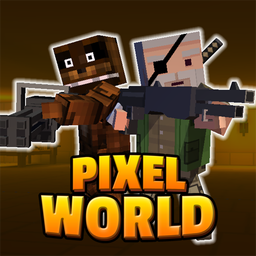
Pixel Z World APK places you in a block-style outbreak where survival depends on fast reactions, smart loadouts, and steady progress. This third-person action shooter centers on zombie hunting across different regions and mission types. With offline play, automatic shooting, and a broad weapon selection, Pixel Z World APK aims to deliver direct mobile combat without adding unnecessary complexity.
Introduce About Pixel Z World
Developed by pixelstar, Pixel Z World is an Action game built as a 3D pixel third-person shooter for mobile. The setup revolves around a zombie disaster and a hunter determined to uncover its cause. The game frames each battle as part of another story in Z World, blending mission-based shooting with survival pressure.
Pixel Z World APK focuses on accessible controls while still offering a range of content to work through. You fight through enemy-filled areas, take on bosses, explore different regions, and improve your hunter with equipment and mastery upgrades. The package also includes a mine system and support for offline play, making Pixel Z World APK suitable for sessions without an internet connection.
Explore the Exciting Gameplay
The core of Pixel Z World APK is third-person shooting against waves of zombies and other enemies. The game uses mobile-friendly controls and automatic firing to keep attention on movement, positioning, and mission goals. Across its modes, the structure mixes direct action with character growth and resource collection.
- Third-person combat: Fight from an over-the-shoulder view designed for mobile shooting action.
- Automatic attacks: The shooting system helps streamline battles by firing automatically while you focus on control.
- Mission variety: Progress through objectives that include boss fights, survival challenges, and exploration tasks.
- Zombie hunting theme: Clear infected enemies while advancing the story behind the outbreak.
- Equipment growth: Strengthen your hunter with weapons, costumes, and mastery upgrades.
- Resource systems: Use miners in the mine to gather jewelry and support progression.
- Offline access: Play without Wi-Fi or mobile data.
Because the game stays focused on enemy encounters and progression systems, Pixel Z World APK can shift from short combat sessions to longer stretches of upgrading and exploration. The result is a shooter that balances immediate action with a steady sense of advancement.
Key Features of Pixel Z World APK
Several features define how Pixel Z World APK handles shooting, progression, and replay value. Rather than relying on a single mode, it spreads the experience across combat styles, equipment options, and upgrade systems that support continued play.
1. Mobile third-person zombie shooting
At its base, the game is a third-person shooter built around clearing zombies and hostile targets. The perspective gives a broad view of each combat zone, helping with movement through dangerous spaces while maintaining an action-focused pace. Pixel Z World APK keeps its combat loop direct and readable, fitting well with mobile play.
2. Easy controls with automatic shooting
One of the strongest practical features is its approachable control scheme. Automatic firing reduces mechanical strain and lets you focus more on evasion, route choice, and surviving enemy pressure. This structure makes Pixel Z World APK easier to get into while still leaving room to improve performance through better decisions.
3. Multiple missions and modes
The game does not limit players to a single type of task. Instead, it includes several mission styles that change the pace and objective, giving each run a different emphasis. That variety helps Pixel Z World APK maintain momentum across repeated sessions.
- Boss battles: Face stronger enemies that test loadout and endurance.
- Survival mode: Last through enemy pressure for as long as possible.
- Exploration mode: Move through areas while confronting threats and uncovering more of the world.
4. Wide weapon and equipment selection
Combat options expand through a broad arsenal and additional character equipment. Different weapons can change how encounters play out, from explosive damage to close-range attacks. Pixel Z World APK also includes costume characters, adding more visual variety to your hunter setup.
- Guns: Standard firearm options for regular engagements.
- Rifles: A different shooting style for ranged fights.
- Shotguns: Strong close-range power against clustered enemies.
- Bazookas: Heavy explosive attacks for intense situations.
- Grenades: Extra area damage during crowded battles.
- Japanese sword: A melee option for a different combat approach.
- Knife: Basic close-combat equipment.
- Costume characters: Change your appearance with different figures.
5. Mastery upgrades and the mine system
Progression goes beyond gear. The mastery system improves the hunter’s abilities, giving a more permanent sense of growth over time. Alongside that, the mine system allows miners to gather jewelry, adding a resource layer outside direct combat. Together, these systems give Pixel Z World APK more depth than a simple mission shooter.
Graphics and Sound Experience
Pixel Z World APK uses a 3D pixel presentation that matches its block world setting. The visual style keeps enemies, weapons, and environments distinct while supporting the arcade tone of its zombie battles. Sound is not detailed in the source notes, but the game’s structure suggests an emphasis on combat clarity and active encounters.
- 3D pixel style: A block-based look that defines the world and its enemies.
- Readable combat scenes: The third-person view helps track opponents and battlefield space.
- Varied regions: Different areas support visual change across missions.
- Action-focused atmosphere: The presentation fits the game’s survival and hunter theme.
How to Download and Install Pixel Z World
Follow these steps to get Pixel Z World APK on your Android device.
- Visit the category on APKCombo to browse releases, or check Google Play for the official store listing.
- Choose a compatible release for your device, such as the current Pixel Z World APK version or an earlier listed build if needed.
- Wait for the APK or XAPK file to finish downloading completely before opening it.
- Open the downloaded file from your device storage and follow the Android installation prompts.
- Once installation is complete, launch the app and start playing Pixel Z World APK.