LATEST VERSION
Description
On this page
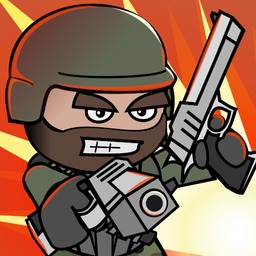
Mini Militia Classic : DA2 MMC APK brings back the familiar style of a fast 2D shooter with multiplayer matches, local Wi‑Fi sessions, and offline practice modes. Built for players who want the original DA2 spirit, Mini Militia Classic : DA2 MMC APK combines brisk combat, open maps, and rocket-boot movement in a format that remains easy to jump into with friends.
Introduce About Mini Militia Classic : DA2 MMC
Developed by Appsomniacs LLC, this Action game revisits the classic DA2 formula while keeping the core elements many players wanted preserved. Mini Militia Classic : DA2 MMC APK centers on multiplayer battles, local network play, and a compact feature set that supports quick matches without drifting away from the established identity of the series.
The game includes dual-stick shooting, vertical movement with rocket boots, and a mix of online and offline options. Mini Militia Classic : DA2 MMC APK supports team-based competition, Capture the Flag, and private sessions with friends through custom lobbies, making it suitable for both regular group play and solo practice when no lobby is available.
Explore the Exciting Gameplay
At its core, the experience is about readable 2D firefights, flexible movement, and short rounds that reward quick decisions. Mini Militia Classic : DA2 MMC APK balances direct controls with enough weapon and map variety to keep each match active, especially when teams use height, cover, and objective routes well.
- Multiplayer battles: Play online with up to 6 participants or use local Wi‑Fi for groups of up to 12 players.
- Classic modes: Team battles and Capture the Flag return for objective-based competitive play.
- Combat tools: Use dual-stick aiming, zoom, melee attacks, dual-wielding, grenades, and varied weapons.
- Vertical mobility: Rocket boots expand movement across open maps and create more attack angles.
- Offline options: Training, Co-op, and Survival are available without an online connection.
- Private matches: Friends, lobby codes, and direct invites help groups set up Custom Games quickly.
Because the systems stay focused, rounds move quickly and remain easy to follow even when action intensifies. Mini Militia Classic : DA2 MMC APK is especially appealing for returning players who want Wi‑Fi LAN support and classic match structure without a complicated setup process.
Key Features of Mini Militia Classic : DA2 MMC APK
The strongest parts of the game come from its multiplayer design, responsive controls, and movement freedom. Mini Militia Classic : DA2 MMC APK keeps its feature set tied closely to combat flow, which helps each mode stay direct and competitive.
1. Online and local multiplayer options
Multiplayer sits at the center of the game. Online rooms support up to six players, while local Wi‑Fi allows up to twelve on the same network. That split gives players a practical choice between smaller internet matches and larger in-person sessions with a more crowded, classic feel.
- Online support: Up to 6 players per match.
- Local Wi‑Fi: Up to 12 players on the same network.
- Modes: Team battles and Capture the Flag.
2. Friends system and Custom Games
Private play is handled through a friends list, direct invitations, and lobby codes. Players can create a custom room, select a map, and set a time limit for the session. This makes Mini Militia Classic : DA2 MMC APK a strong fit for friend groups that want more control over who joins and how each round is arranged.
- Friends list: Add players using their profile ID.
- Private lobbies: Create Custom Games for your group.
- Easy joining: Use invite prompts or share a game code.
3. Dual-stick shooting and varied weapons
The combat system uses one stick for movement and another for aiming and firing. Zoom, melee attacks, dual-wielding, and grenades broaden the options without making the controls hard to understand. Weapons also push players to adapt, since long-range rifles, close-range shotguns, and area-control tools each shape fights differently.
- Control style: Dual-stick movement and shooting.
- Extra actions: Zoom, melee, grenades, and dual-wielding.
- Weapon variety: Different loadouts suit different map positions.
4. Rocket boots and open-map movement
Rocket boots are a major part of how battles develop. Instead of staying on flat paths, players can boost upward, cross open space, or reposition to rooftops and ledges. Mini Militia Classic : DA2 MMC APK uses this vertical mobility to make positioning matter as much as aim, especially during flag defense and flanking attempts.
5. Offline modes and classic direction
When online matches are not the priority, the game still offers offline Training, Co-op, and Survival. These modes are useful for learning weapon behavior, practicing grenade timing, and adjusting to the movement model. Mini Militia Classic : DA2 MMC APK also keeps its identity tied to classic features such as Wi‑Fi LAN and CTF, rather than replacing them.
- Training: Learn controls and movement offline.
- Co-op: Play outside standard competitive matches.
- Survival: Use solo sessions to build consistency.
Graphics and Sound Experience
The presentation stays consistent with the game’s classic identity. Mini Militia Classic : DA2 MMC APK favors clear 2D visuals that support readability during quick firefights, while the audio helps reinforce weapon feedback and match intensity without distracting from the action.
- 2D visual style: Keeps characters, weapons, and map space easy to read.
- Open arenas: Vertical layouts make elevation and distance easier to judge.
- Combat clarity: Effects support quick reactions in crowded fights.
- Familiar tone: The overall presentation matches the classic DA2 mood.
How to Download and Install Mini Militia Classic : DA2 MMC
Follow these steps to get the latest available build on your Android device.
- Visit the category on APKCombo to browse this title, or check Google Play for the official store listing.
- Choose a compatible release for your device.
- Start the download and wait for the APK or XAPK file to finish saving, depending on the package format offered.
- Open the downloaded file from your device storage and continue with the Android installation prompts.
- Launch the game after installation, then try offline Training or set up a Custom Game to begin using Mini Militia Classic : DA2 MMC APK.