LATEST VERSION
Description
On this page
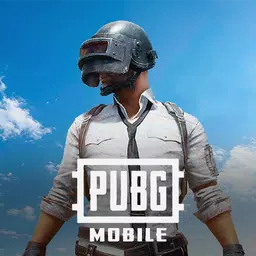
PUBG MOBILE APK brings large-scale tactical shooting to Android with battle royale matches, squad communication, and multiple ways to play. From 100-player survival rounds to faster combat options, it combines careful looting, map awareness, and team decisions in a package built for players who want both tension and variety.
Introduce About PUBG MOBILE
Developed by Level Infinite, PUBG MOBILE is an action game focused on multiplayer firefights across expansive maps. The core experience revolves around battle royale competition, where players drop into the field, search for gear, and try to outlast every rival until one player or team remains.
PUBG MOBILE APK also includes alternatives to classic survival. Arena battles offer shorter rounds, World of Wonder adds player-created experiences, and Metro Royale shifts the goal toward collecting valuables and escaping safely. Across these modes, control customization, voice chat, and training tools support both casual sessions and steady improvement.
Explore the Exciting Gameplay
PUBG MOBILE APK centers on tactical combat where positioning matters as much as weapon choice. Matches can build slowly or turn chaotic in seconds, depending on the map, the landing area, and how aggressively teams rotate into the safe zone.
- Battle Royale Matches: Compete in survival rounds with up to 100 players across maps such as Erangel, Sanhok, Livik, and Vikendi.
- Arena Modes: Enter faster 4v4-style fights with repeated respawns for quick practice and short sessions.
- World of Wonder: Try player-made content that changes the standard structure with custom experiences.
- Metro Royale: Gather valuable loot and extract successfully, knowing that death can mean losing what you carry.
- Squad Coordination: Use voice chat and map markers to share enemy positions, routes, and item locations.
- Training Options: Practice recoil control, hip-fire, strafing, and close-range duels before joining more demanding matches.
PUBG MOBILE APK rewards players who read terrain well, choose fights carefully, and adapt their settings over time. It can suit long classic matches one moment and quick combat rounds the next, giving the game a broad range without losing its tactical identity.
Key Features of PUBG MOBILE APK
PUBG MOBILE APK stands out through its mix of survival pressure, flexible controls, and varied combat formats. The following features shape how matches play and why different modes feel distinct from one another.
1. Large-Scale Battle Royale on Distinct Maps
The main attraction in PUBG MOBILE APK is its classic battle royale structure. Players parachute into a map, collect weapons and supplies, and keep moving as the play zone shrinks. Each environment changes the pace, with some areas favoring long sightlines and others pushing close encounters.
- Erangel: Balanced terrain suited to a wide range of engagements.
- Sanhok: Tighter spaces and denser combat opportunities.
- Livik: A map built for brisker action.
- Vikendi: Terrain that changes how players rotate and take cover.
2. Multiple Modes Beyond Classic Survival
Not every session needs the length of a full battle royale, and PUBG MOBILE APK reflects that with several alternatives. Arena supports quick rounds and repeated action, while Metro Royale adds extraction pressure where staying alive matters as much as finding good loot.
- Classic: Traditional survival matches with one winner at the end.
- Arena: Short combat-focused rounds for quick play.
- World of Wonder: Community-created experiences with different rules.
- Metro Royale: High-risk looting and extraction-based progression.
3. Deep Control and Sensitivity Customization
PUBG MOBILE APK gives players detailed tools to adjust how the game handles on their device. Button placement, camera movement, ADS sensitivity, gyroscope behavior, and separate aiming settings for different scopes can all be tailored. These options help new players refine comfort and let experienced players build more advanced layouts.
- Button Layout: Move controls for firing, peeking, jumping, climbing, aiming, and movement.
- Sensitivity Tuning: Adjust camera and ADS behavior for different weapons and sights.
- Gyroscope Support: Fine-tune motion-based aiming preferences.
- Peek Settings: Choose tap, hold, or mixed behavior.
4. Practice Spaces for Weapon Handling
Improvement is supported by dedicated training tools. Players can work on recoil control, short-range tracking, hip-fire, and movement in less punishing environments before stepping into full matches. TDM Warehouse and the training ground are especially useful for sharpening basic mechanics.
PUBG MOBILE APK makes practice practical rather than decorative. Testing rifles with steady handling, repeating drills, and refining aim under lower pressure can help players enter classic modes with more confidence.
5. Communication Tools for Squad Tactics
Team play depends on clear information, and PUBG MOBILE APK includes several tools to support that. Voice chat and map markers help squads call out enemy locations, mark routes, and point out useful loot. Throwable management is also streamlined with a quick wheel and a trajectory line for more controlled grenade usage.
- Voice Chat: Coordinate in real time during movement and firefights.
- Map Markers: Highlight threats, loot, or travel plans for teammates.
- Throwable Quick Wheel: Access smoke grenades, Molotov cocktails, stun grenades, sticky bombs, and more.
- Trajectory Preview: See the likely path of a throw before releasing it.
Graphics and Sound Experience
PUBG MOBILE APK builds tension through map variety, combat effects, and clear battle feedback. The experience shifts from open fields to crowded compounds, helping each mode maintain a different rhythm while keeping firefights readable and intense.
- Varied environments: Different maps create distinct visual identities and combat pacing.
- Readable combat cues: Throwables, sightlines, and movement are supported by clear on-screen feedback.
- Pressure in motion: The shrinking zone and extraction risk add atmosphere to every match type.
- Squad awareness: Voice communication and markers reinforce the sense of coordinated play.
How to Download and Install PUBG MOBILE
Follow these steps to get PUBG MOBILE APK on your Android device.
- Visit the category on APKCombo to browse releases, or check Google Play for the official store listing.
- Choose a compatible version of PUBG MOBILE APK for your device, keeping in mind available storage and future updates.
- Wait for the APK or XAPK file to finish downloading completely, as the initial package is large and may take time.
- Open the downloaded file and proceed with the installation on your Android device.
- Launch PUBG MOBILE APK, download any additional resources if prompted, and begin with training or Arena matches to test your setup.