LATEST VERSION
Description
On this page
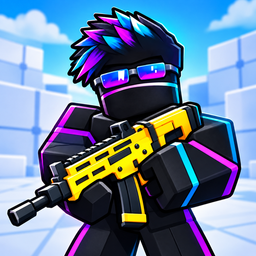
RIVALS FPS: Online Shooter APK brings competitive first-person action to Android with online multiplayer matches, colorful 3D arenas, and a weapon-focused approach that rewards sharp reactions. Built around direct arena fights and personal style, RIVALS FPS: Online Shooter APK gives players a place to test aim, adapt movement, and return for another round with a stronger score.
Introduce About RIVALS FPS: Online Shooter
Developed by Go Dreams, RIVALS FPS: Online Shooter is an Action game centered on online multiplayer battles. The game places players in compact 3D arenas where positioning, timing, and weapon choice all matter. Its core loop is straightforward: enter the arena, pick a weapon setup that matches your habits, and challenge real opponents in competitive firefights.
RIVALS FPS: Online Shooter APK focuses on readable combat and repeatable matches rather than unnecessary complexity. The official description highlights varied weapons, character customization, and an arena-based structure that encourages players to learn from each battle. RIVALS FPS: Online Shooter APK also requires an internet connection and includes ads alongside optional in-app purchases.
Explore the Exciting Gameplay
At its core, the game is about adapting to rivals in real time. RIVALS FPS: Online Shooter APK asks players to study weapon behavior, use cover intelligently, and approach each encounter with a plan. Every match becomes a test of movement, crosshair control, and fast decision-making under pressure.
- Online multiplayer battles: Compete against other players in live first-person shooter matches.
- Weapon choice: Try different firearms and find the one that suits your preferred combat rhythm.
- Arena tactics: Shift angles, use the environment, and attempt to catch opponents off guard.
- Skill-based action: Aim and reactions play a central role in determining the outcome of fights.
- Customization: Change the appearance of characters and weapons with skins.
- Replay appeal: Take experience from one round into the next and push for a better score.
That structure gives RIVALS FPS: Online Shooter APK a strong pick-up-and-play identity while still leaving room for improvement over time. Instead of relying on passive progression alone, the game emphasizes learning how to respond better in the next match, which gives each session a competitive purpose.
Key Features of RIVALS FPS: Online Shooter APK
The main strengths of RIVALS FPS: Online Shooter APK come from its online format, flexible combat options, and visual customization. These features support a game loop where players can build familiarity with weapons, sharpen arena awareness, and shape a recognizable look while competing.
1. Online Multiplayer FPS Matches
The game is built as an online multiplayer first-person shooter, so the central experience revolves around fighting other players in connected matches. This design keeps battles active and competitive, with outcomes depending on how well each player reads situations and reacts under pressure.
2. Different Weapons and Playstyles
A major part of the experience is experimenting with different weapons and learning their handling. RIVALS FPS: Online Shooter APK encourages players to discover a preferred combat style, whether that means a more careful approach from cover or a faster method based on quick reactions and pressure.
- Weapon variety: Multiple weapons are available to try.
- Handling differences: Each option is meant to be learned, not treated as identical.
- Personal approach: Players can choose the style that best fits each fight.
3. Colorful 3D Arena Combat
The arenas are presented with bright 3D visuals, giving firefights a clear and lively backdrop. Map movement is important, since the official description points to using cover, changing angles, and creating moments where opponents can be surprised. Those environmental choices add tactical depth to direct gunfights.
- Use cover: Reduce exposure while preparing your next move.
- Change angles: Reposition to improve sightlines and pressure enemies.
- Catch rivals off guard: Smart movement can create openings that pure aim alone cannot.
4. Character and Weapon Skins
Customization is another visible part of the package. Players can change the look of both their character and their weapons through skins, allowing a more personal identity in the arena. This cosmetic layer supports the game’s emphasis on style without changing the basic competitive focus.
- Character appearance: Adjust how your fighter looks.
- Weapon skins: Give firearms a distinct visual identity.
- Standout style: Build a look that is recognizable during matches.
5. Score-Chasing Match Loop
The game pushes players toward improvement from one battle to the next. After each round, the idea is to apply what was learned, return to the arena, and compete for a stronger result. That loop gives RIVALS FPS: Online Shooter APK a steady rhythm that supports short sessions as well as repeated play.
Graphics and Sound Experience
RIVALS FPS: Online Shooter APK presents its combat through colorful 3D arenas that keep matches visually energetic. The official information does not describe the audio in detail, but the game’s competitive setup suggests a presentation built to support quick reading of space, enemy presence, and combat flow during online firefights.
- Colorful 3D presentation: Arenas are designed with a bright visual style.
- Readable combat spaces: The environment supports movement, cover use, and changing angles.
- Style-focused cosmetics: Skins help visual variety stand out during matches.
- Arena identity: The game’s look reinforces its fast multiplayer structure.
How to Download and Install RIVALS FPS: Online Shooter
Follow these steps to get RIVALS FPS: Online Shooter APK on your Android device.
- Visit the category on APKCombo to browse releases, or open Google Play for the store listing.
- Choose a compatible release for your device, and confirm that your Android setup supports the file you want.
- Download the APK or XAPK file and wait for the transfer to finish completely before moving to the next step.
- Open the downloaded file from your device storage, then allow installation if your Android settings request permission.
- Once installation is complete, launch the game, connect to the internet, and start playing.