LATEST VERSION
Description
On this page
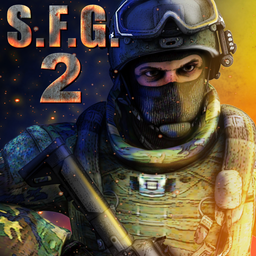
Special Forces Group 2 APK brings a focused mobile FPS format to Android with online matches, LAN sessions, and offline bot play. The game centers on brisk rounds, recognizable controls, and a broad mix of maps and modes, making it suitable for both short sessions and longer team-based play.
Introduce About Special Forces Group 2
Developed by ForgeGames Mobile, Special Forces Group 2 is an action shooter built in 3D first-person perspective for mobile devices. It supports solo matches against bots, internet multiplayer, and local network play through a shared WiFi router, giving players several ways to jump into a round.
Special Forces Group 2 APK is designed around direct setup and fast access to matches. With more than 30 maps, nine modes, multiple weapon categories, and visual customization through skins, the game keeps its structure easy to grasp while offering enough variety to change the rhythm from one match to the next.
Explore the Exciting Gameplay
Matches in Special Forces Group 2 APK move at a steady pace and let players choose between objective-focused rounds and straightforward eliminations. The game balances familiar shooter handling with enough content variety to keep repeated sessions from blending together.
- Mode Variety: Nine game modes shape the flow of each match, including Classic, Bomb Mode, Deathmatch, Zombie, and Sniper.
- Multiplayer Options: Players can join online matchmaking or connect through LAN using the same WiFi router.
- Offline Practice: Singleplayer with bots supports practice sessions and play without an internet connection.
- Map Selection: More than 30 maps include close-quarters arenas as well as larger layouts.
- Team Clarity: Eight character slots per team help maintain clear visual separation in matches.
- Weapon Range: The arsenal includes pistols, shotguns, SMGs, rifles, and grenades.
- Customization: 134 weapon skins give players visual options across the available loadouts.
- Language Support: Ten language choices make menus and prompts easier to use for a wider audience.
Special Forces Group 2 APK keeps movement, aiming, and weapon selection familiar, so changing from bot matches to public games does not require a major adjustment. That direct structure helps the game stay accessible while still supporting competitive rounds with friends or random players.
Key Features of Special Forces Group 2 APK
Special Forces Group 2 APK focuses on fast entry into combat, multiple ways to play, and enough maps and modes to keep sessions active. Its feature set favors practical variety over complex systems, which suits a classic mobile shooter format.
1. Nine modes with different match styles
The mode lineup is one of the main reasons Special Forces Group 2 APK stays engaging across repeated sessions. Players can move from classic team play to bomb objectives, then shift to faster elimination formats or themed modes when they want a different pace.
- Included modes: Classic, Bomb Mode, Deathmatch, Zombie, and Sniper are specifically listed among the nine total modes.
- Session flexibility: Quick rounds work well for short breaks, while objective modes support longer team play.
2. Online, LAN, and bot-supported play
A major strength of Special Forces Group 2 APK is the way it supports several match environments. Online matchmaking covers public games, LAN play works through a shared WiFi router, and bots allow solo practice or no-internet sessions without changing to a different app.
- Online matches: Quick access to multiplayer sessions over the internet.
- LAN support: Local play for groups connected to the same router.
- Bot matches: Useful for warm-ups, learning maps, or filling empty slots.
3. A large map pool for different combat ranges
More than 30 maps give Special Forces Group 2 APK a wider range of combat spaces than a smaller shooter rotation. Some layouts suit close encounters, while others provide more room for positioning and movement, helping the same weapons and modes play differently.
4. Extensive weapons and visual customization
The weapon selection in Special Forces Group 2 APK covers the standard classes expected in a mobile FPS, including pistols, shotguns, submachine guns, rifles, and grenades. On top of that, 134 weapon skins offer a way to personalize the familiar look of the arsenal without changing the core gameplay.
- Weapon classes: Pistols, shotguns, SMGs, rifles, and grenades.
- Skin count: 134 skins for visual customization.
5. Clear presentation and accessible setup
Special Forces Group 2 APK emphasizes straightforward menus, familiar controls, and practical onboarding. Ten language options support menus and prompts, while the simple setup makes it easier to adjust controls, test sensitivity, and enter a match without a long preparation process.
Graphics and Sound Experience
Special Forces Group 2 APK presents its action through 3D first-person visuals that prioritize readable combat spaces and clear team recognition. The overall audiovisual style supports fast rounds and practical awareness rather than heavy cinematic presentation.
- 3D presentation: Maps and combat are shown in a clear first-person view.
- Readable arenas: Tight and large maps are easy to distinguish during active matches.
- Team visibility: Eight character slots per team improve visual separation.
- Consistent feedback: The game’s presentation supports quick aiming and movement decisions.
How to Download and Install Special Forces Group 2
Use the official listing pages to find a suitable build of Special Forces Group 2 APK for your Android device.
- Visit the category on APKCombo to browse releases, or open Google Play for the store listing.
- Choose a compatible release of Special Forces Group 2 APK, checking the version and file type that matches your device.
- Wait for the APK or XAPK file to finish downloading, as the time will depend on your connection speed.
- Open the downloaded file and confirm the installation if Android asks for permission to proceed.
- Launch the game after installation, allow the first asset load to complete, and set controls before entering a match.